
GSC CINEMAS
APP REVAMP
.png)
UI/UX CASE STUDY

introduction
Brief Overview of Golden Screen Cinemas
Golden Screen Cinemas (GSC), the largest cinema exhibitor in Malaysia, is renowned for its expansive network of over 509 screens across 55 locations nationwide. GSC's key offering revolves around delivering innovative, integrated, and enriching lifestyle experiences through state-of-the-art cinematic technologies, merchandise, F&B, events, and more.
Challenges with the Current App

Despite GSC's esteemed reputation, its current app faces significant challenges. Users have voiced dissatisfaction, pinpointing issues that affect their overall experience. The feedback indicates that the existing app falls short of meeting the expectations of GSC Cinemas app users, evident in its ratings of 3.8 out of 5 on the Google Play Store and 1.7 out of 5 on the Apple Store.
IDENTIFYING THE PROBLEMS
The following issues stood out the most based on user research.
Problem #1
No Defined Journey
Multiple entry points to perform the same action confuse and make users prone to getting lost within the application.
Example
A user attempting to book a movie ticket may find various paths to select a movie, leading to indecision and potential frustration.
Impact
The absence of a clear, guided journey causes users to spend more time than necessary, searching for the right steps to complete their desired action.

Problem #2
Not Efficient
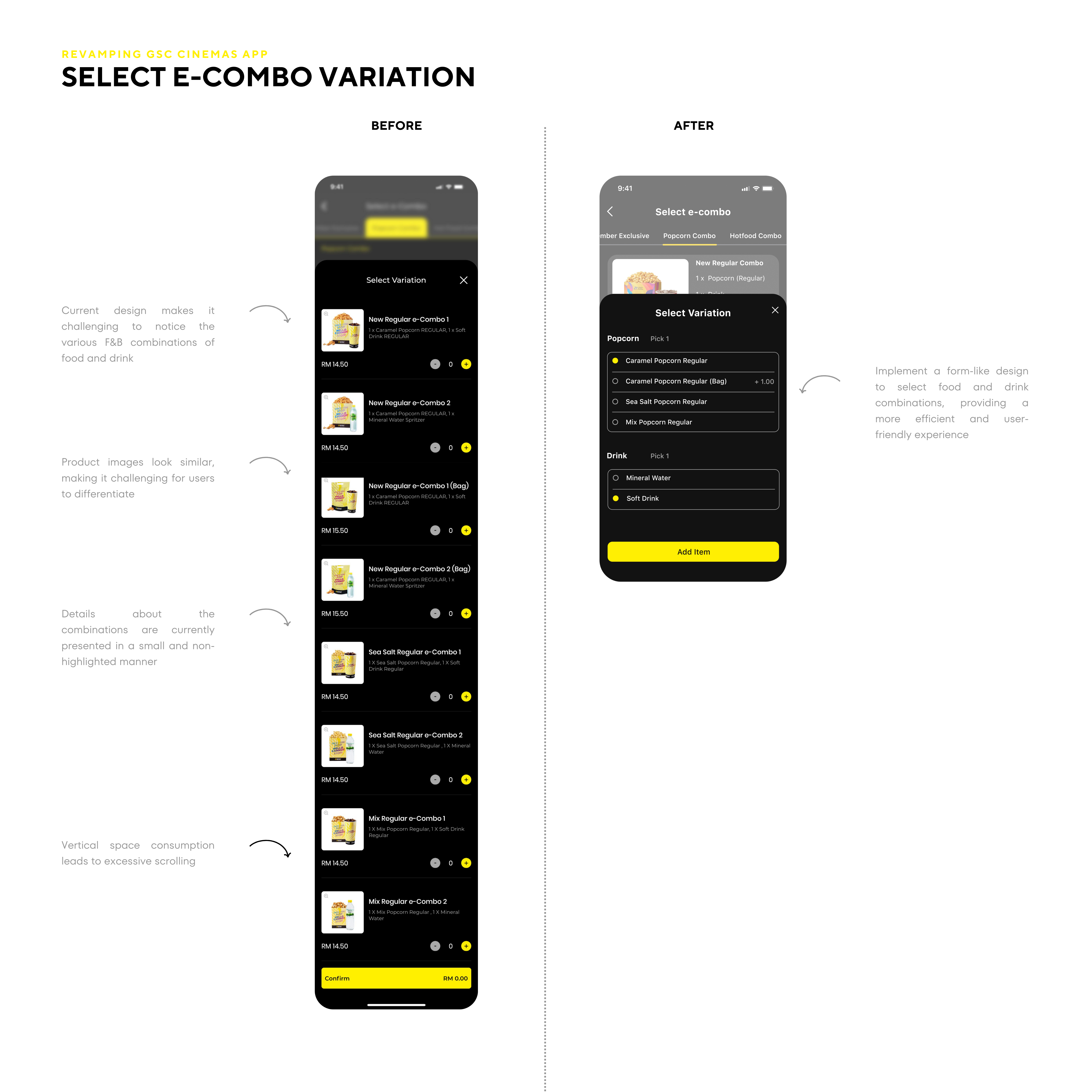
The GSC Cinemas app's inefficient use of vertical space leads to excessive scrolling. Users are required to scroll more than necessary.
Example
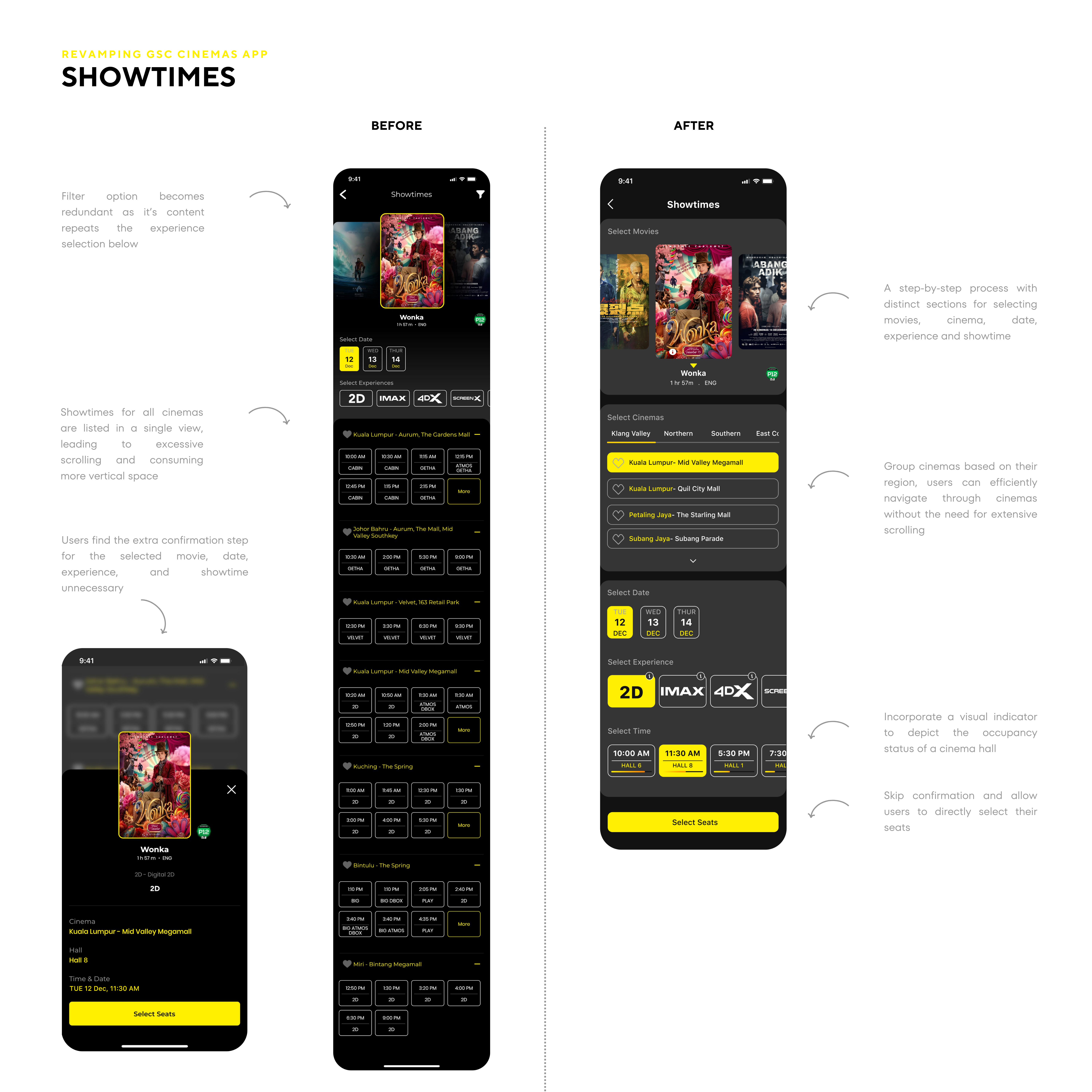
When users are choosing a specific time slot for a movie, the time options may be spread over an extended vertical space, making it inconvenient for users to view all available slots at once.
Impact
Vertical space consumption can lead to potential frustration through the app, users may find the process time-consuming.

Problem #3
Less Flexibility
The GSC app exhibits less flexibility in various user interactions, resulting in a less streamlined and adaptable user experience.
Example
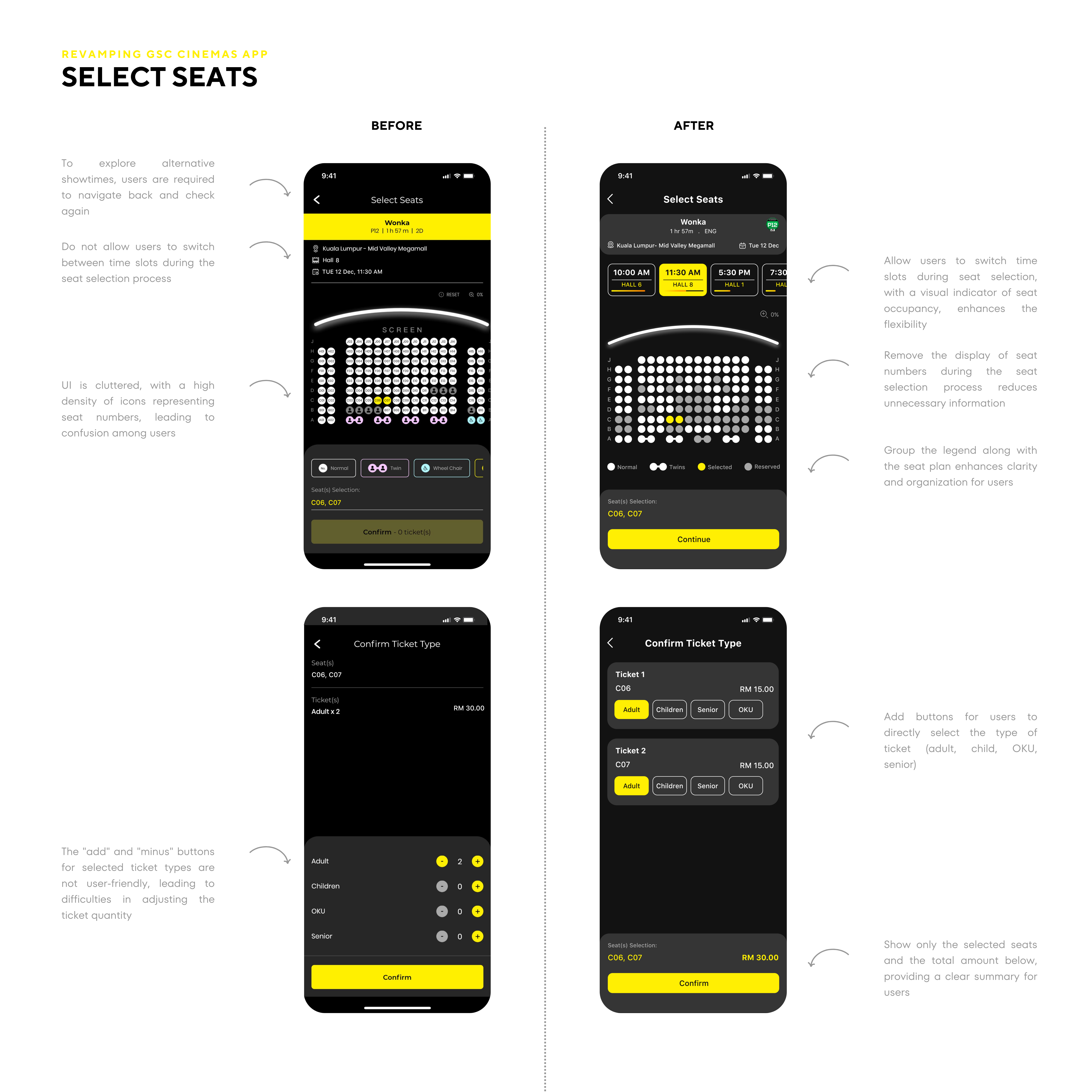
Users, when selecting seats, face challenges as they cannot easily explore and switch between available show times.
Impact
Users may find it inconvenient to manually navigate back and forth, impacting the overall fluidity of the seat selection process and potentially causing frustration.

goal
Improve App’s Overall Flow
Streamline and improve the overall user experience by optimizing a clearer navigation and simplifying entry points for key app features to create a more intuitive and user-friendly flow.
Improve A Flexible and Efficient User Experience App’s Overall Flow
Empower users with greater flexibility during their interaction with the GSC Cinemas app by providing more options and a smoother overall experience. Enhance user interaction efficiency by minimizing the need for excessive scrolling and avoiding vertical space consumption.

tHE RESULTS
All users had no issues navigating through the app.
Proposed Solution # 1
A Clear User Journey
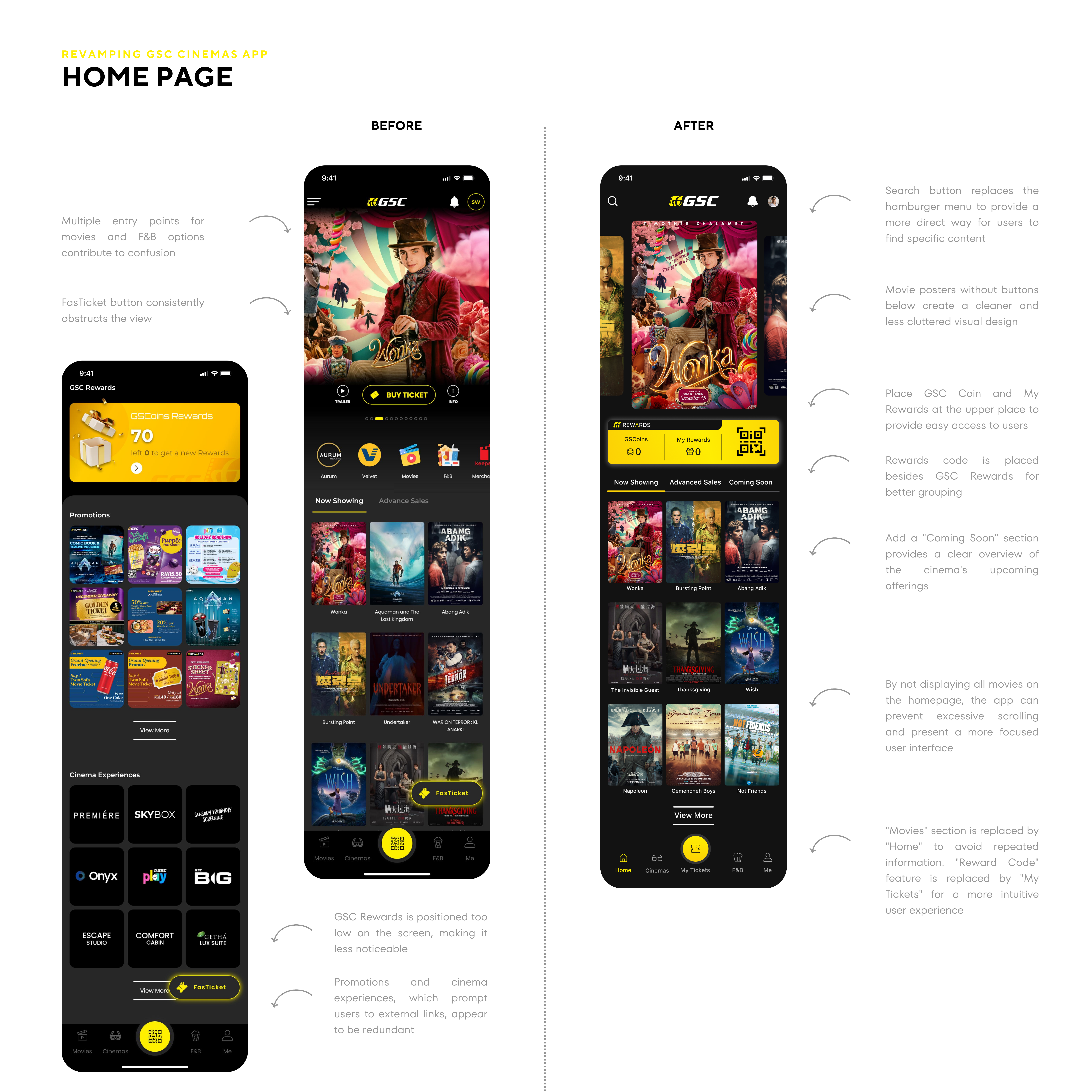
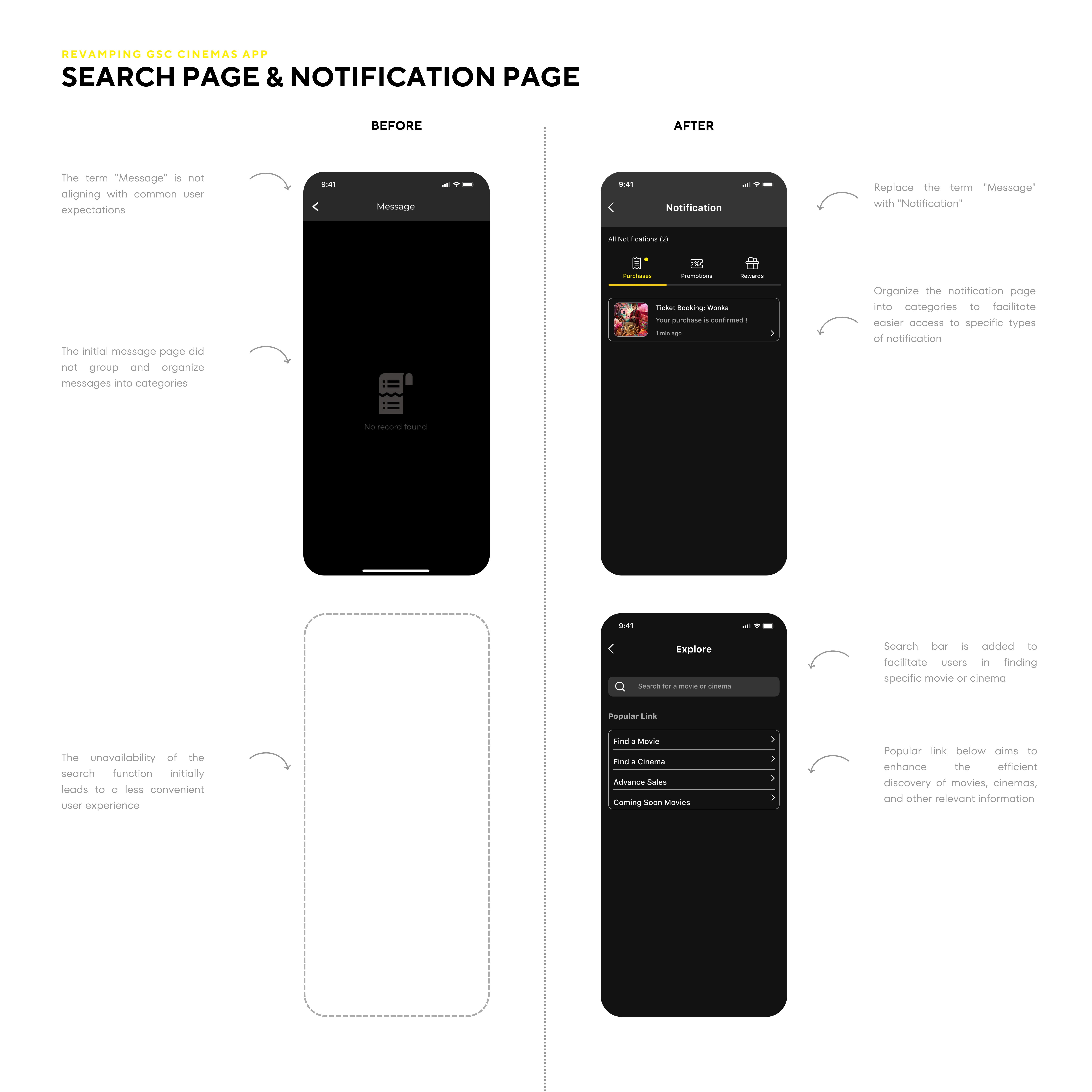
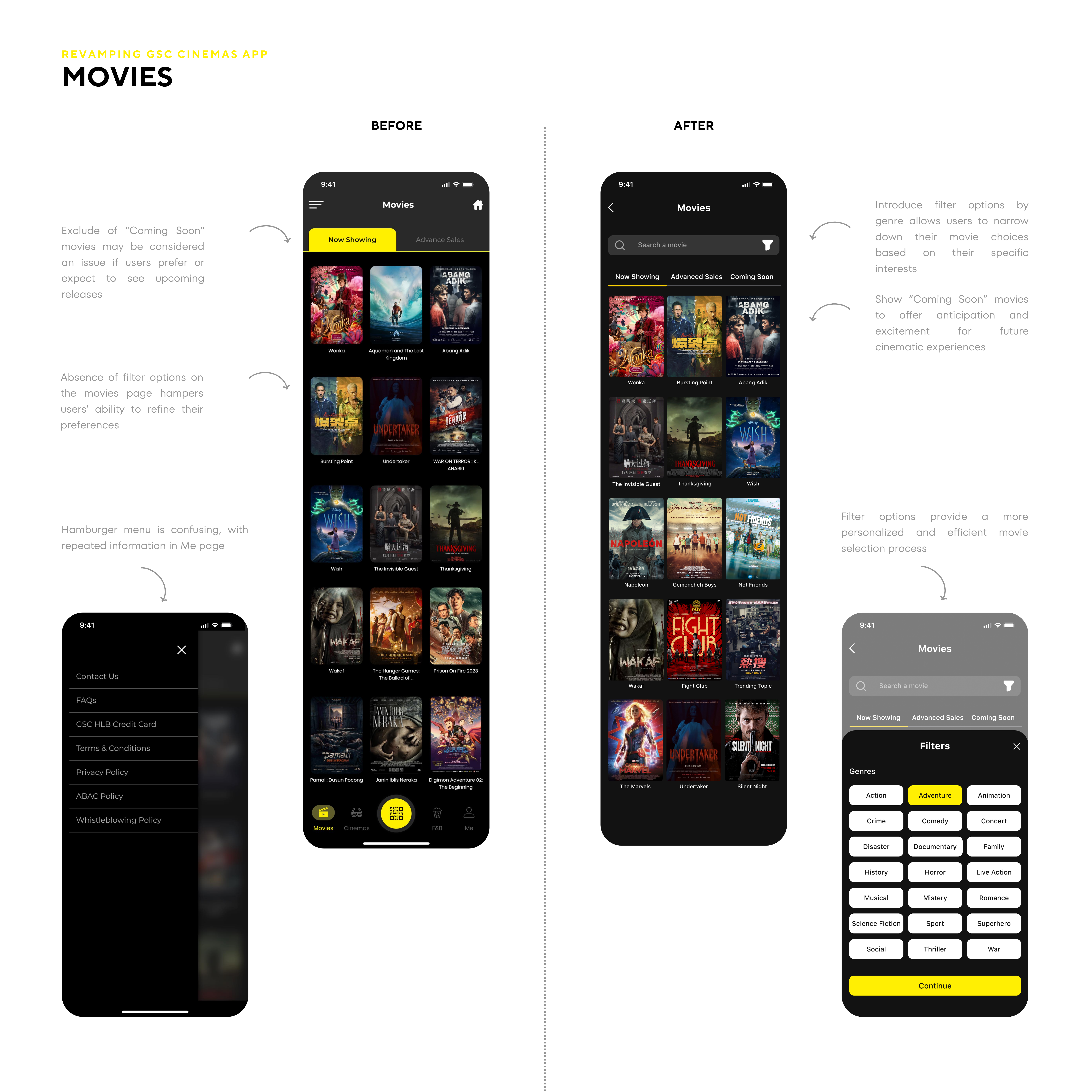
Show only movies on the homepage, providing users with a direct entry point for selecting their desired movies.
Observation
Users experience a more straightforward and user-friendly booking process, reducing confusion and providing a clear path from start to finish.

Proposed Solution # 2
Efficient Booking Process
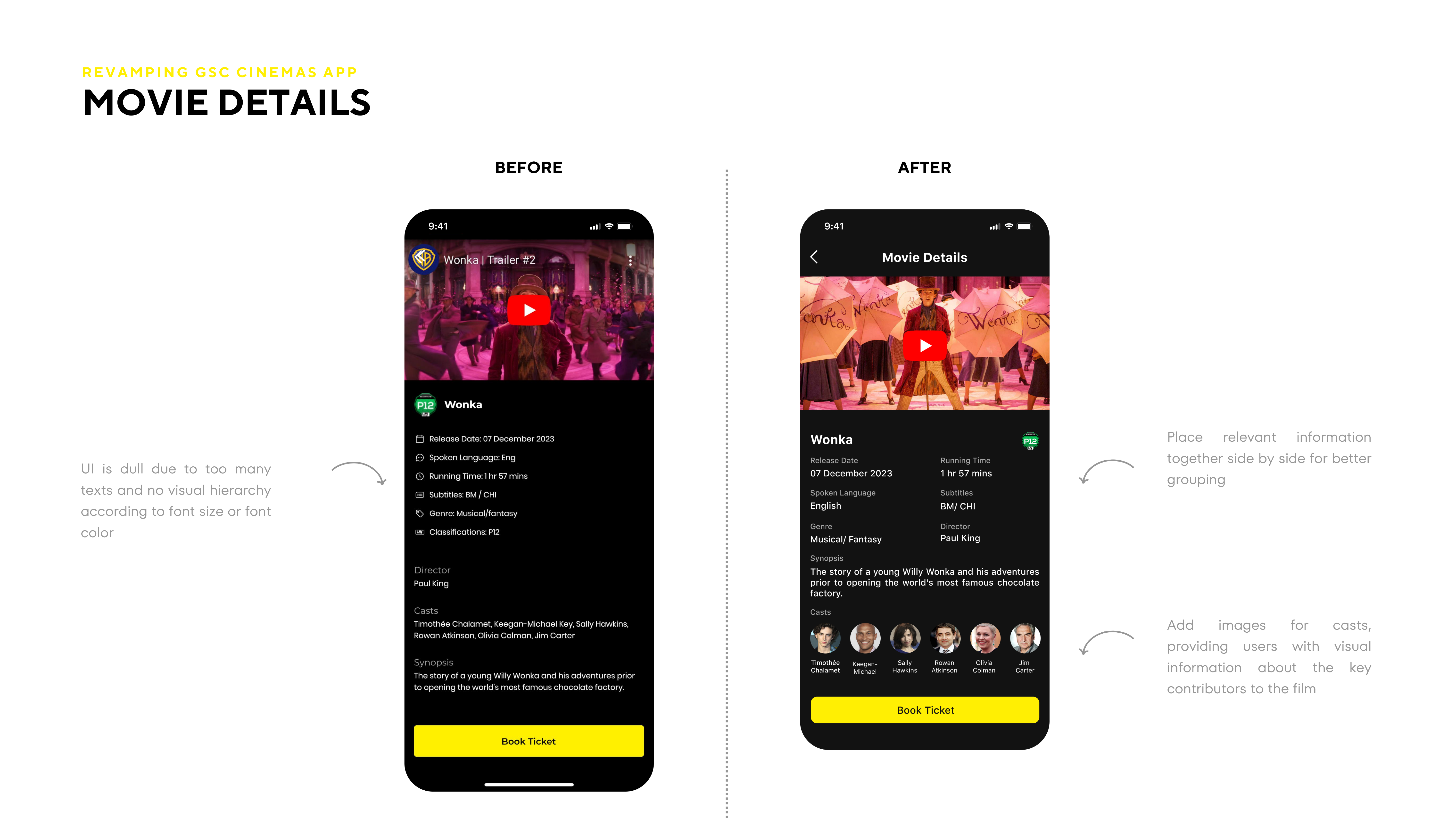
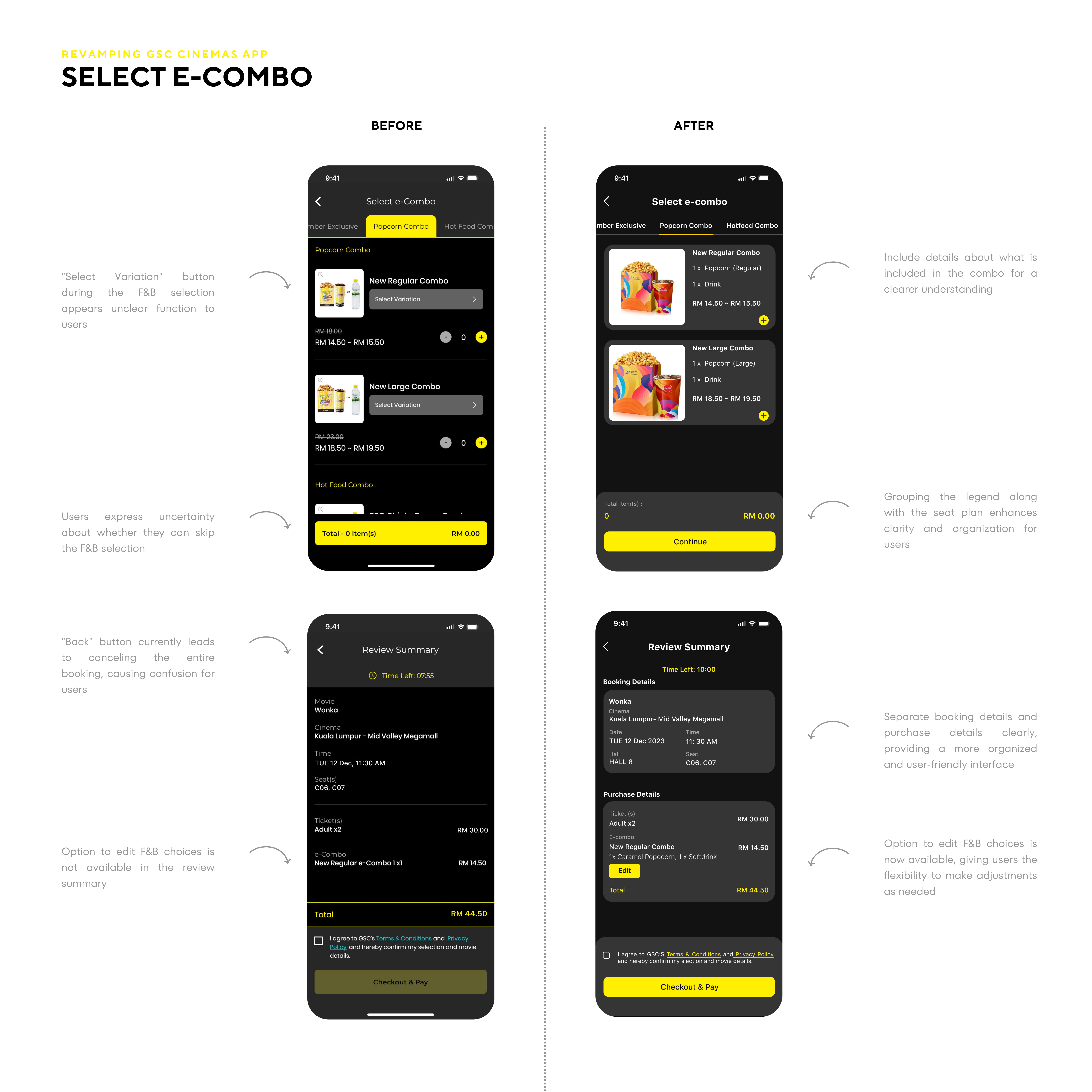
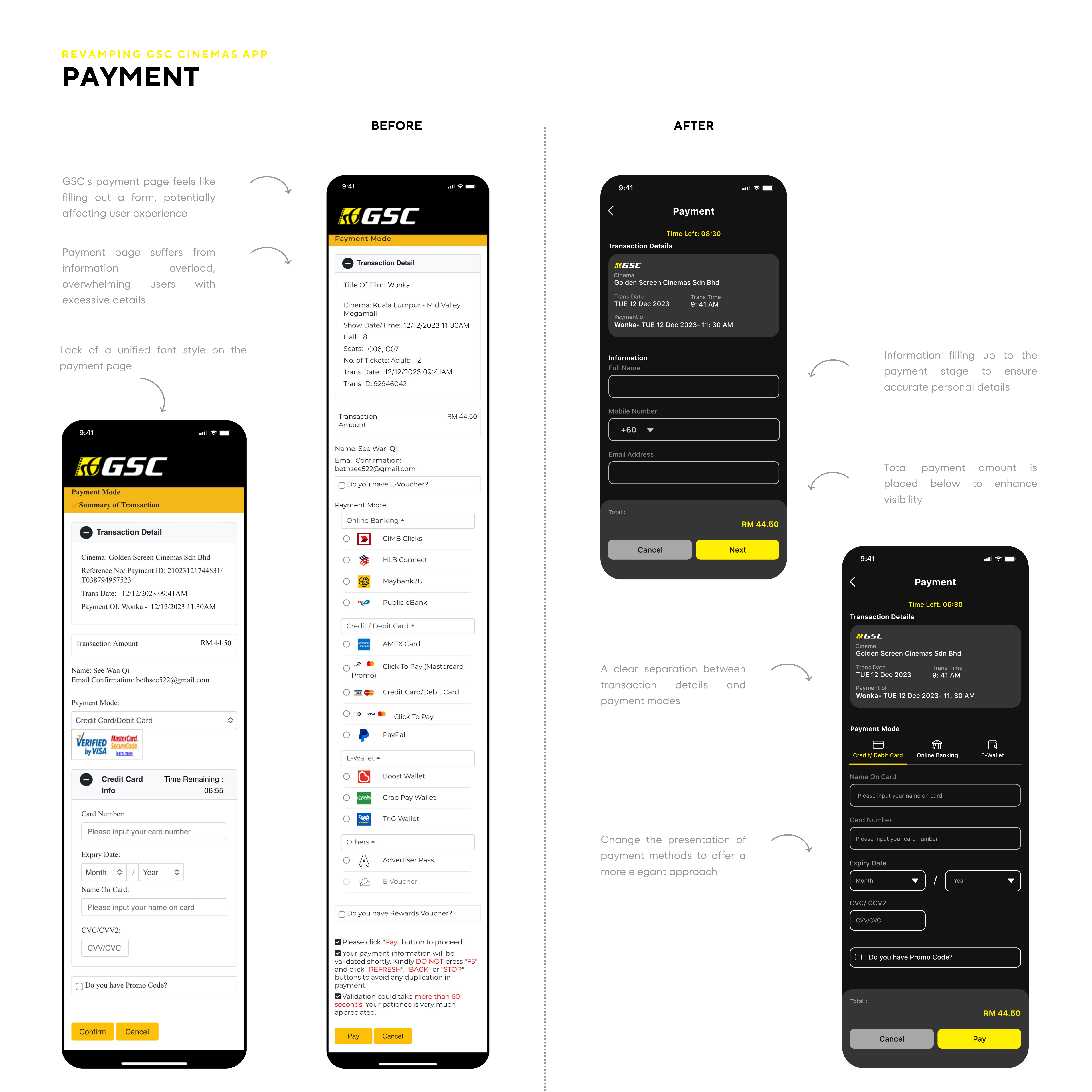
Optimize the layout to minimize unnecessary vertical space consumption. The simplified navigation reduces user confusion, promoting a smoother journey through the app.
Observation
Users benefit from a more streamlined and efficient interface, allowing them to navigate through information quickly and enhancing overall usability.

Proposed Solution # 3
Flexible User Experience
Introduce dynamic show time switching during the seat selection phase to provide users with more flexibility, leading to a more convenient booking experience.
Observation
Users can preview and switch between different show times without exiting the current seat selection process.

RESEARCH SUMMARY
Quantitative Research
-
App Reviews Analysis:
Analyzed user reviews on both the Google App Store and Apple Store to extract valuable insights into user satisfaction and the most frequent issues. This data-driven approach provided a quantitative perspective on the current app performance and highlighted areas for improvement.
Qualitative Research
-
User Interviews:
One-on-one interviews with movie enthusiasts and regular moviegoers provide qualitative insights into user experiences, preferences, and perceptions. Open-ended questions allow participants to express their opinions and provide in-depth feedback, offering rich qualitative data.
-
Usability Testing:
Remote moderated usability testing involves observing and gathering qualitative feedback from users as they interact with the app. This method allows you to identify specific pain points, usability issues, and areas for improvement based on users' firsthand experiences.


INFORMATION ARCHITECTURE


USER FLOW

WIREFRAME


VISUAL language

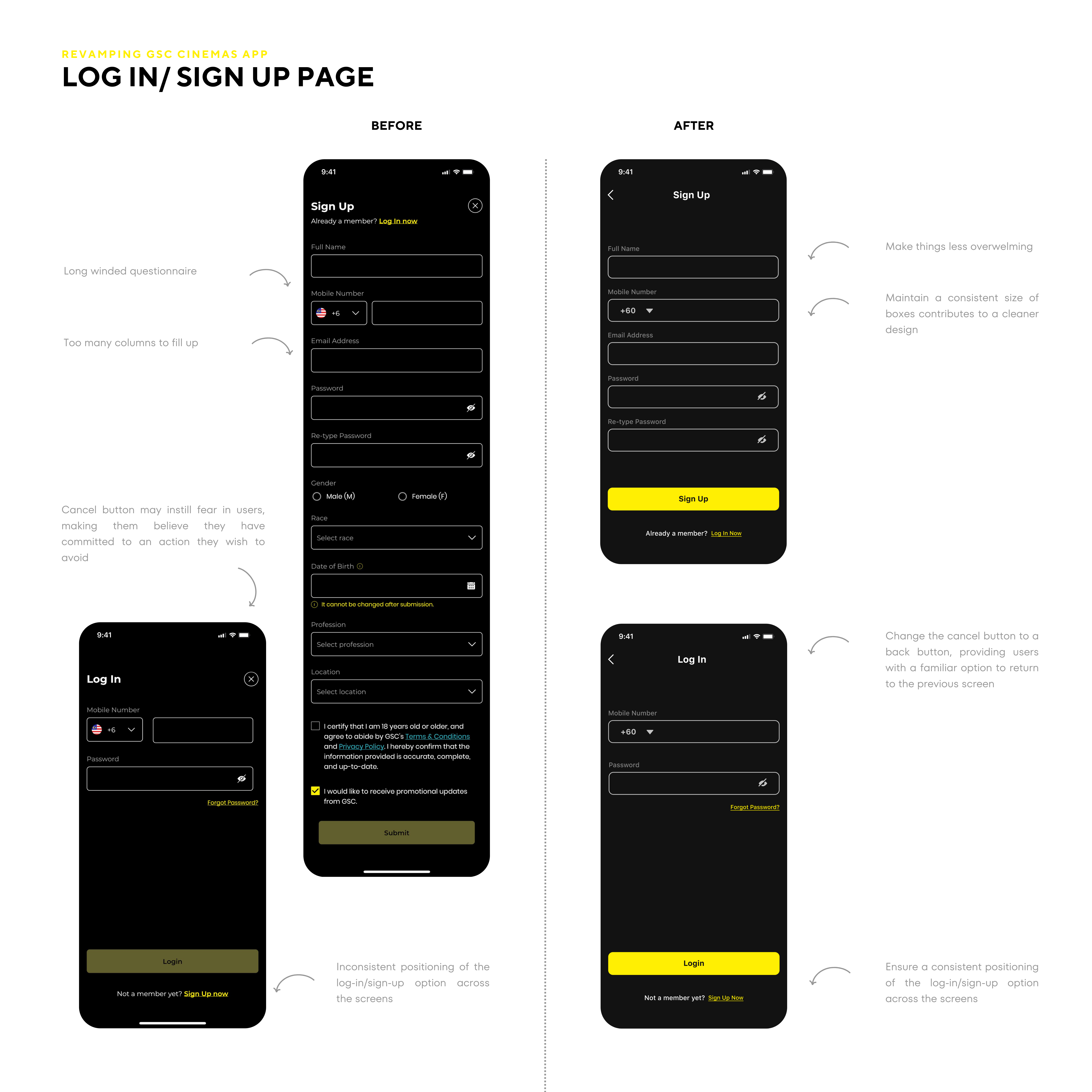
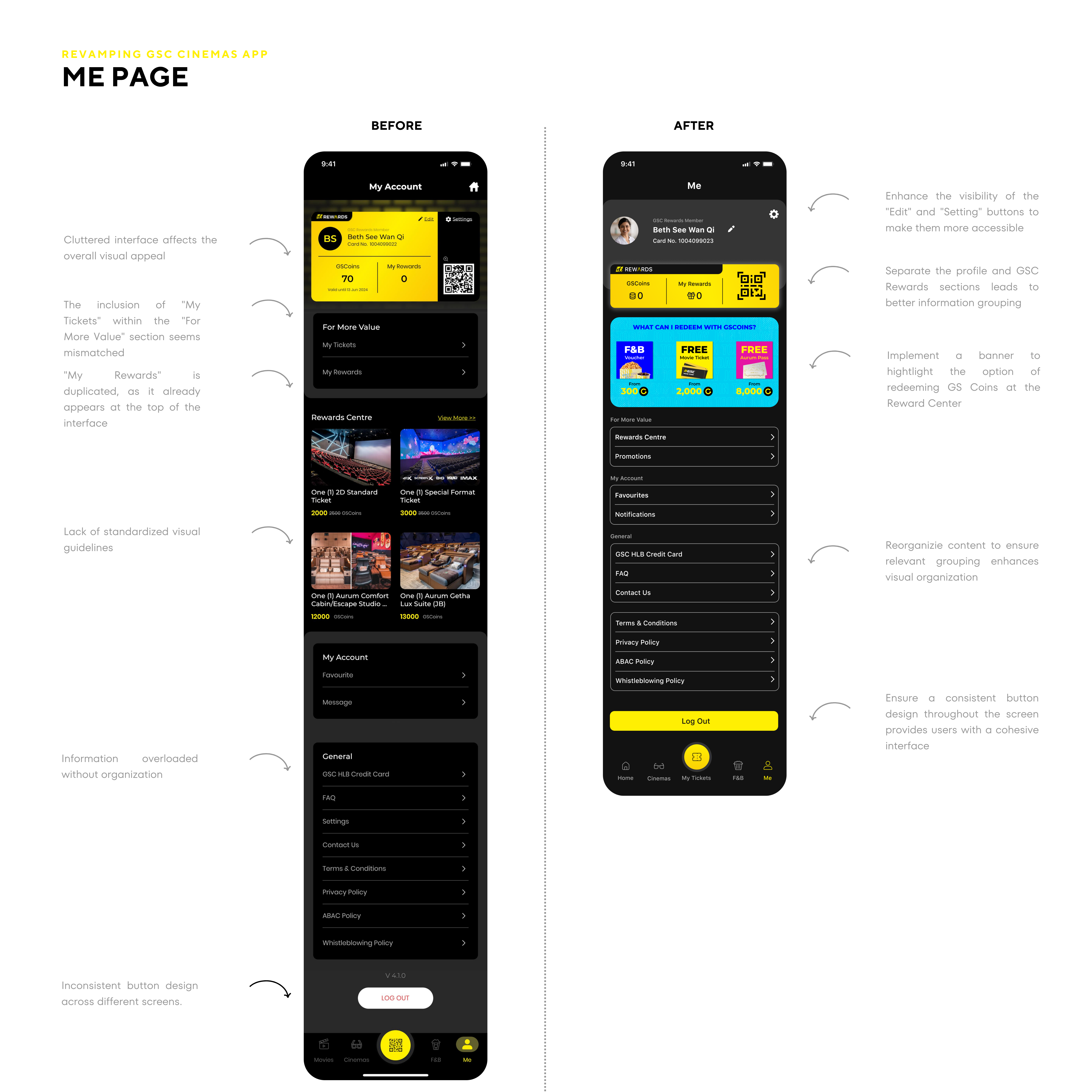
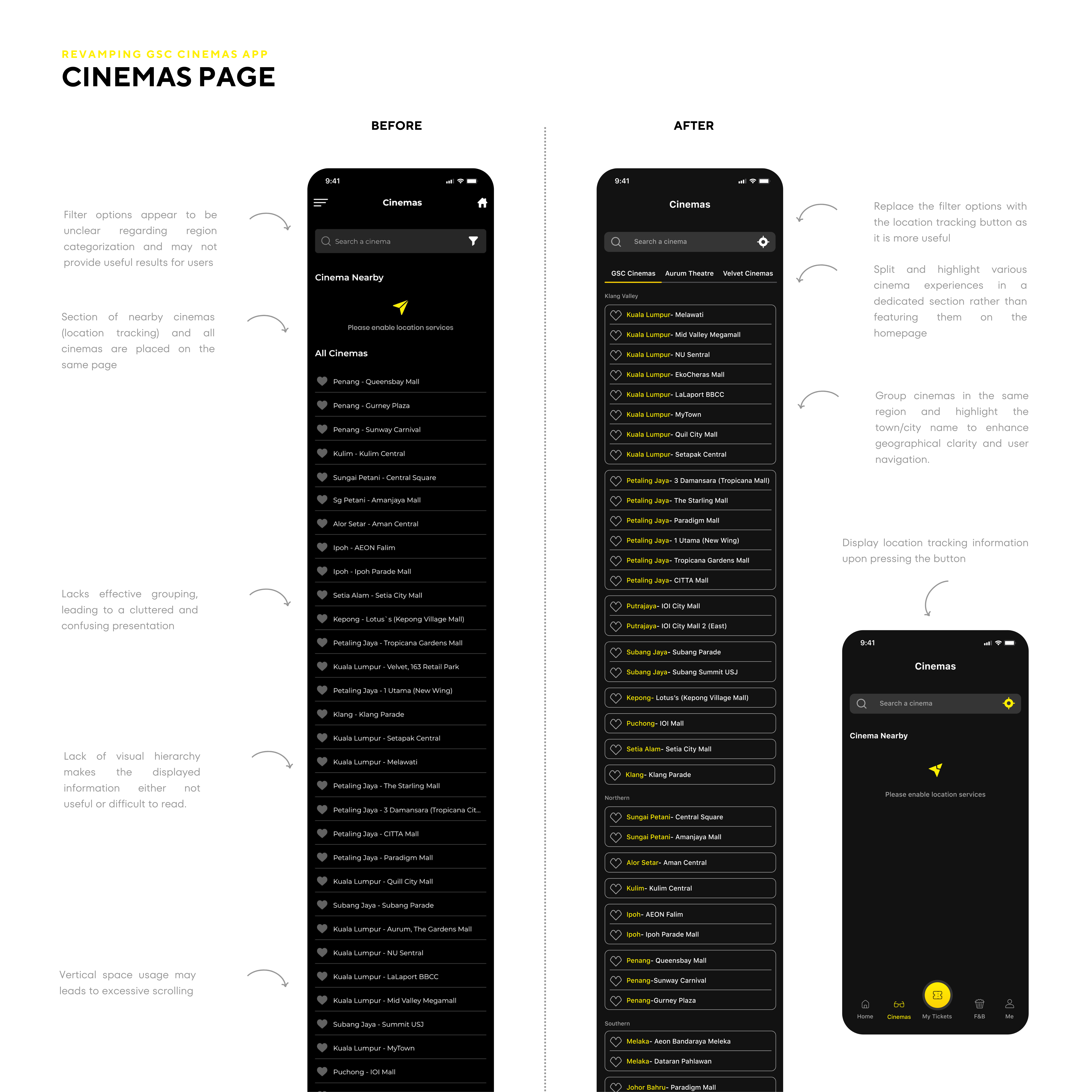
FINAL DESIGN
conclusion
